
HRMS feature
Employee management software for a single source of truth
Keep employee records, directories, departments, designations, and org structure in one Dayzen HRMS workspace — so HR stops maintaining parallel spreadsheets for the same people data.
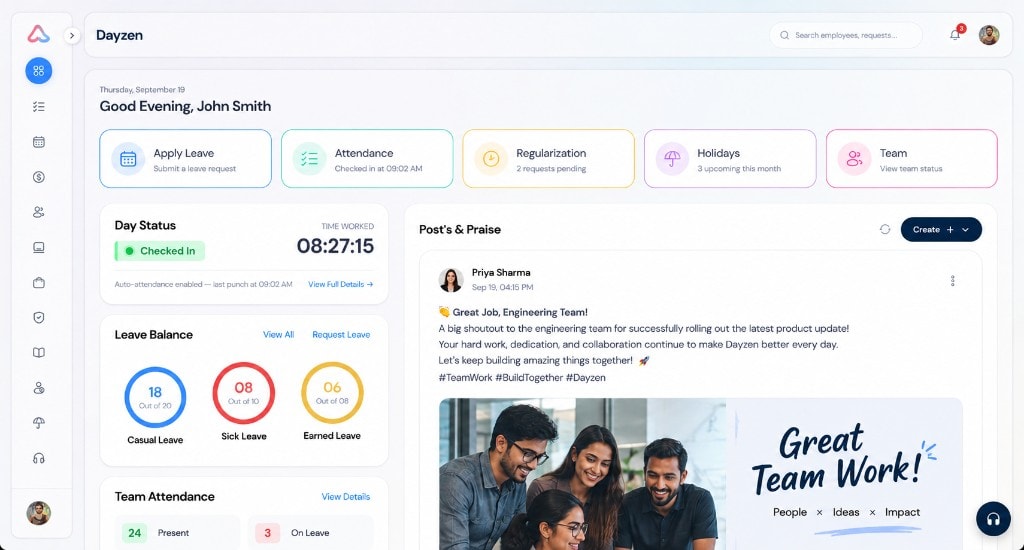
What is employee management software?
Who this helps
- HR admins maintaining directories and org structure
- Managers who need accurate team and reporting lines
- Teams replacing spreadsheet people lists
Directory & profiles
What employee management covers in Dayzen
How Dayzen structures employee data
Profiles hold personal and job context alongside related history, documents, and asset views. Organization structure is maintained through departments, designations, ranks, and an interactive org tree.
- Paginated employee directory with search, role, and department filters
- Employee profile views for personal details, job history, assets, and documents
- Departments, designations, and ranks management
- Interactive organization hierarchy tree
- Five-step add-employee wizard with email/ID/PAN/Aadhaar validation
- Auto-generated employee IDs using organization prefixes
Add-employee wizard
Adding employees without re-keying chaos
- Five guided steps instead of scattered forms
- Identity-field validation for email, employee ID, PAN, and Aadhaar
- Clean handoff into attendance, leave, and payroll
Employee management workflow in Dayzen
Step 1
Structure the org
Configure departments, designations, ranks, and the interactive org tree.
Step 2
Add people
Use the five-step wizard with identity-field validation and org-prefix employee IDs.
Step 3
Maintain profiles
Keep personal, job, document, and asset views current in one directory.
Step 4
Connect modules
Reuse the same employee record across attendance, leave, payroll, and lifecycle.
Related reading
Process and field-level reading for people records.
Keep exploring
Related HR workflows
Employee records connect hiring, onboarding, lifecycle events, assets, SOPs, and pay runs across Dayzen HRMS.
Recruitment
Jobs, applications, interview pipeline, and offers.
Explore RecruitmentOnboarding
New joiners pipeline from offer to activation.
Explore OnboardingEmployee lifecycle
Contracts, changes, resignations, and FNF.
Explore Employee lifecycleAsset management
Assign, track, and recover company property.
Explore Asset managementSOP management
Procedures, assignments, and read receipts.
Explore SOP managementPayroll
Attendance sync, statutory calc, and payslips.
Explore PayrollFAQ
What is employee management software?
Employee management software is the system of record for people data — profiles, job details, org structure, and related documents — so HR and managers work from one consistent directory instead of scattered spreadsheets.
What employee data does Dayzen store?
Dayzen employee profiles cover personal and job information, history, assigned assets, and documents. Organizations also manage departments, designations, ranks, and an interactive org tree.
Can HR search and filter the directory?
Yes. The employee directory is paginated and supports search plus role and department filters so HR can find people quickly.
How are new employees added?
HR can add employees through a five-step registration wizard with validation for email, employee ID, PAN, and Aadhaar fields, plus auto-generated employee IDs based on organization prefixes.
Does Dayzen include an org chart?
Yes. Dayzen includes an interactive node-based organization hierarchy tree in addition to department and designation management.
How does employee management connect to hiring and payroll?
Employee records are the shared foundation for recruitment handoff, onboarding activation, and payroll processing. Related Dayzen modules reuse the same people data.
Prefer a walkthrough? Book a demo.
See Dayzen employee management with your org structure.
Book a demo to walk through directory search, profiles, and the add-employee wizard against your real departments and designations.